Less key logistics
Reduce dependence on physical keys and manual handovers.


Digital access management
One platform for digital keys, locks and users.
Aprire gives your organisation control over who can access what, where and for how long — while giving employees a simpler way in.
From logistics to control
Aprire brings access management into one workflow that is easier to operate, audit and scale.
Reduce dependence on physical keys and manual handovers.
Update users, groups and access periods from one workspace.
See locks, devices, status and activity without searching across systems.
Reuse existing investments and select the right lock for each environment.
Trusted in practice
Several municipalities already use the solution to simplify key logistics, improve control and support safer daily operations.




One solution
A simple and secure route to digital access for employees on the move.
Unified control of users, roles, groups, devices, locks and events.
Connect lock vendors, identity, care systems, planning and other business systems.
See Aprire in practice
See how overview, access, locks, groups, reports and events connect in daily operations.
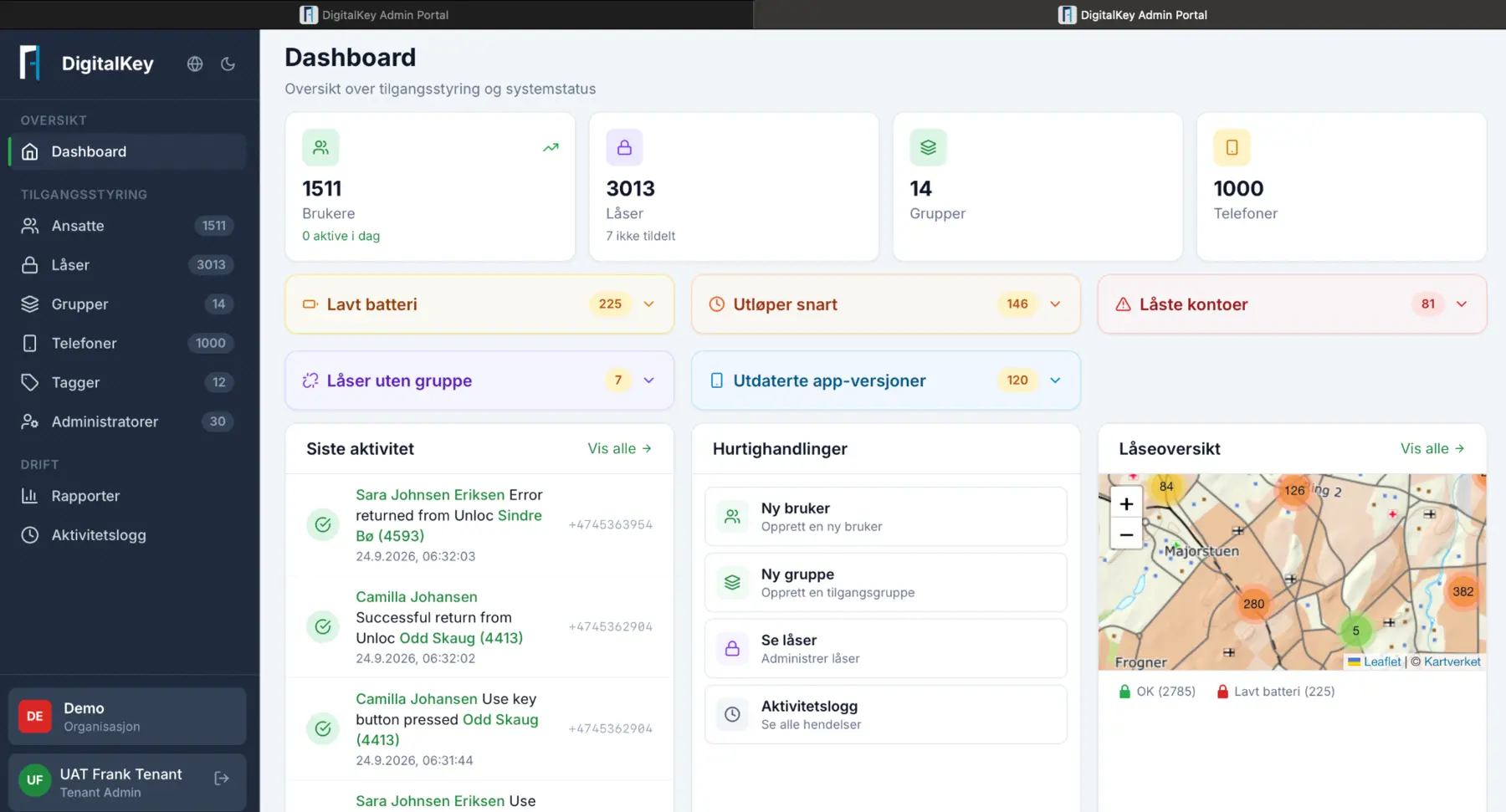
One connected platform
Give authorised employees a simple and secure way to use digital access while working away from the office.
Manage users, roles, groups, phones, locks, reports and events from one control layer.
Connect lock vendors, Entra or AD, care systems, planning tools and other operational systems.
Platform essentials
One platform, different needs
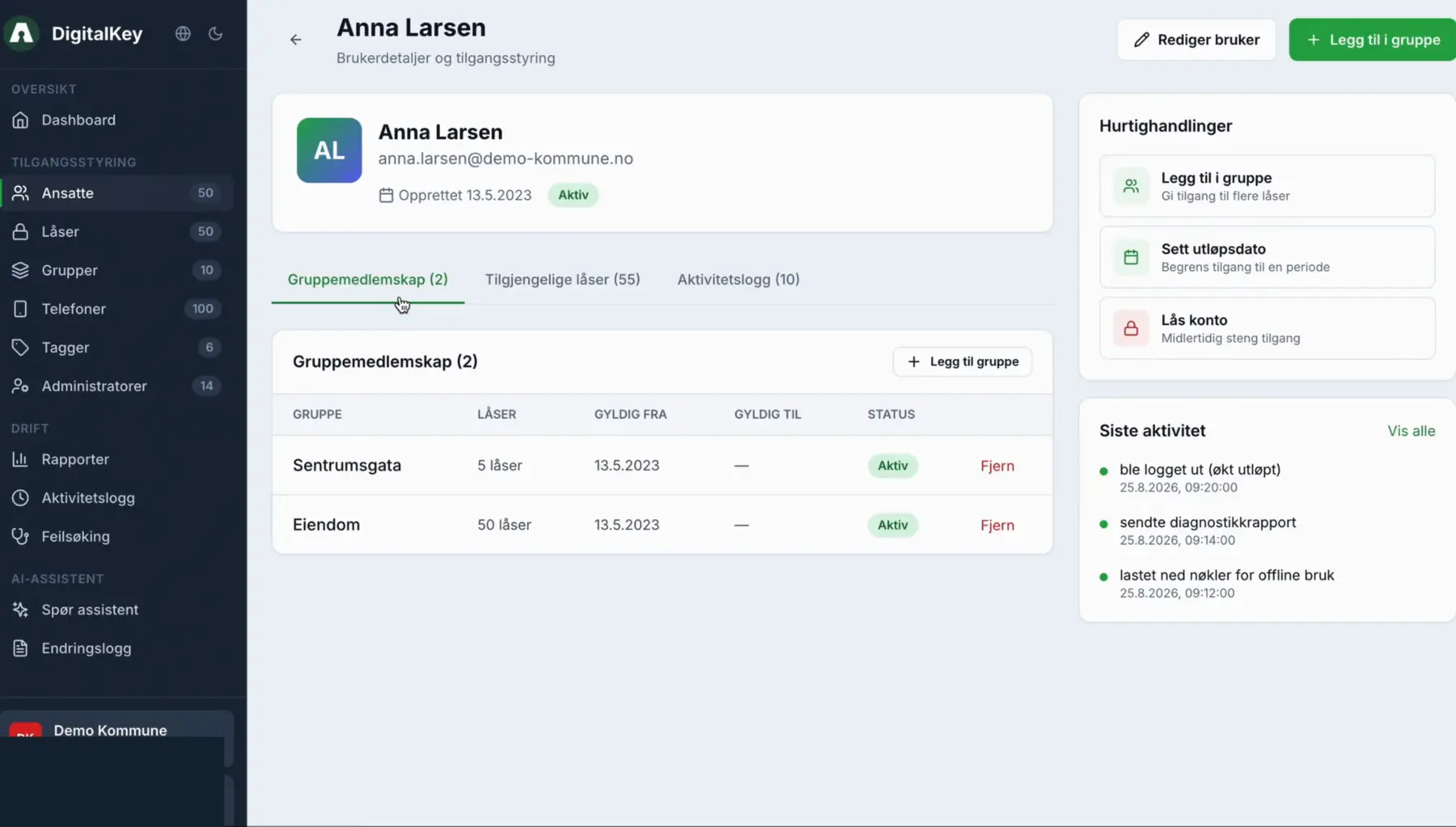
Support home care, response services and mobile teams with access that follows roles and workflows.
Explore health and welfare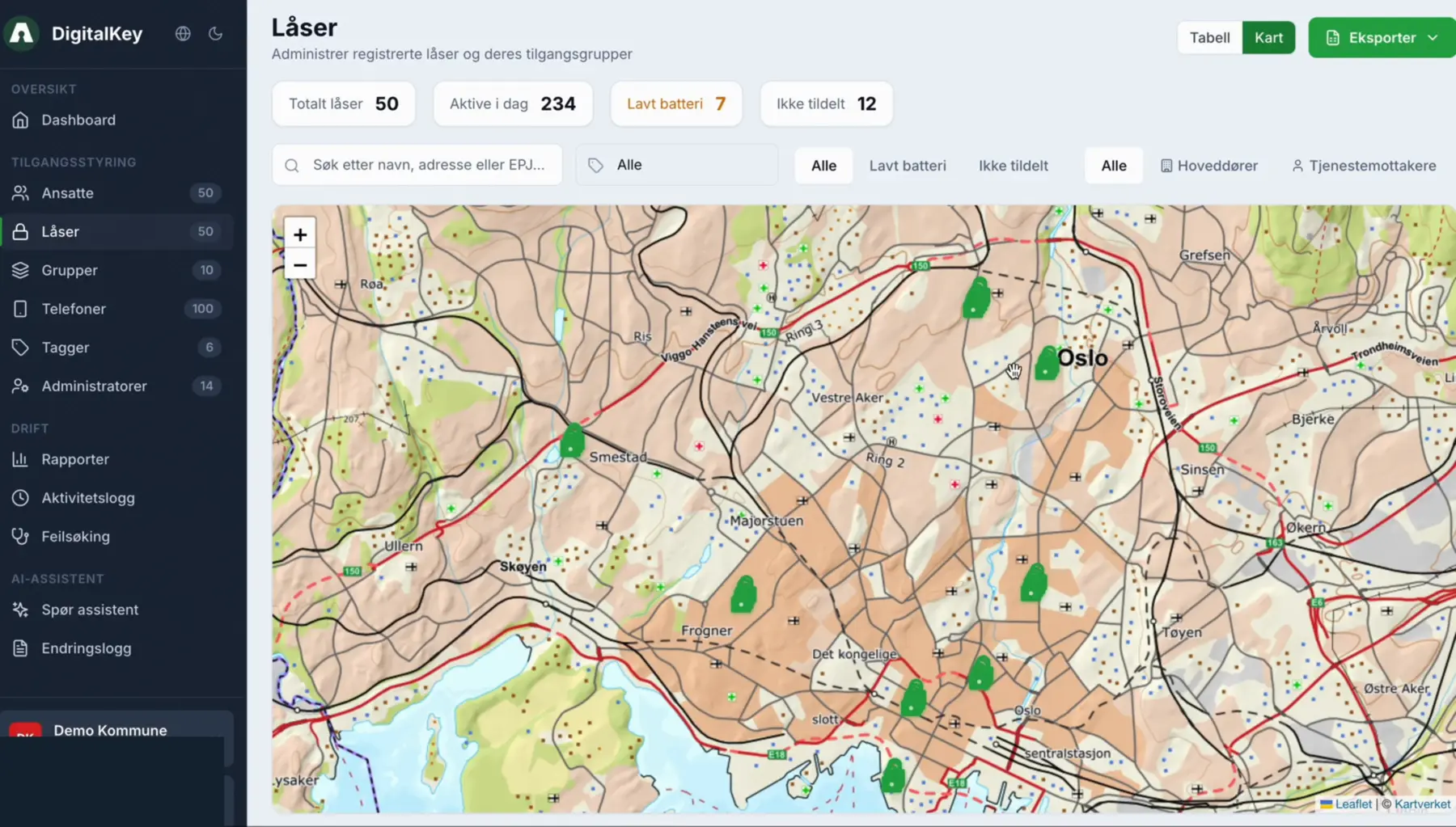
Manage time-limited and traceable access across distributed technical environments.
Explore critical infrastructureA clear path to operation
Identify users, door environments, technologies, risks and the systems that hold important data.
Configure roles, groups, lock integrations and the right access method for each situation.
Start with a defined service or area and expand through a repeatable operating model.
Frequently asked questions
No. Aprire is a platform layer designed to support multiple lock vendors and access technologies through supported integrations.
No. Depending on the lock and workflow, access can use mobile devices, cards, key fobs, PIN, NFC or battery-free solutions.
Compatible existing installations can be connected, helping organisations modernise gradually instead of replacing everything at once.
Access can be linked to identities, roles, groups, time periods and organisational responsibilities, with events available for follow-up.
Next step
We will show the workflows that matter for your users, locks and existing systems.